FaceMorpher Lite

FaceMorpher Lite
License:
Free
Language:
English
Developer:
OS:
WinXP/Vista
Added:
See detailed info

Softonic review

Francesca Migliorini

“Create funny face animations. Morph them all!”

by Francesca Migliorini about FaceMorpher Lite

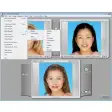
FaceMorpher Lite creates videos which show a transition effect from two different passport photos. The final result is really amusing and it’s a must-try to have a laugh with friends.

With this version of the program you will be able to morph just two pictures. Be careful to choose passport-style photos so that the application can easily understand the contour of the two faces and create a better transition effect.

There is also a manual enhancement mode that allows you to define the right shape of the faces in the pictures, defining the position of eyes, nose and mouth.

This can come handy in case of more complex pictures like when you have more than one person in a photo and also when the software doesn’t automatically recognise the facial features of your chosen subject.

If you find the final video too fast, try to change the settings of Frame Count and Frame Rate in the Movie Parameters menu, although to be honest there is not a proper option to slow down the video maintaining a perfect smooth effect.
It’s a pity that there are no cartoon themes to apply to pictures, or pre-defined pictures to morph to but anyway, amusement is guaranteed.

Pros
  • Powerful tool to recognise face features
  • Efficient smooth animated transition effect
Cons
  • The final video is to fast to enjoy the frames in between the morph effect
Free Download FaceMorpher Lite 2.5

FaceMorpher Lite is virus free

We have analyzed the latest version of FaceMorpher Lite with 30 antivirus engines and it is virus free. See analysis results.

TESTED VIRUS FREE - Softonic GUARANTEED

Developer's description

FaceMorpher Lite is the first fully automated image morphing software on the market. It is tuned to work with human faces. No need to manually define control points.

FaceMorpher Lite uses its AI to analyze images and to automatically recognize parts of faces that should be morphed into each other. Putting it simply, all you have to do is to load two images and point to the faces you want to morph.

And you've got it! Save the resulting animation as an AVI file to integrate it into your home video with your favorite video editing tool, create an animated GIF or a Flash movie to publish it on your site.

Review and rate FaceMorpher Lite

Your avatar

Your opinion is important.
Help other users - be the first to review this program.

Review
  1. Maximum: 75 characters

  2. See example

Pros and Cons
Rate
  1. What rating would you give FaceMorpher Lite?

    You need to fill in all fields

    • Usability:

      Not rated
    • Stability:

      Not rated
    • Installation:

      Not rated
    • Functionality:

      Not rated
    • Appearance:

      Not rated
    • Overall rating:

      Not rated
  2. Don't worry, we won't make your email address public.

You're not allowed to share serial numbers, cracks, etc. or link to pages that contain them. If you do, your user account will be deleted, your IP address logged and legal action will be taken.

Get started - just ask a question!

Write a title for your question.

Alternativesto FaceMorpher Lite

  • In English:
    Pivot Stickfigure Animator
    Pivot Stickfigure Animator

    Create fantastic stick-figure animations

    Softonic rating:
    • 8/10
    User rating:
    • 8/10
  • Better rating:
    MonkeyJam
    MonkeyJam

    Easily create stop-motion animations

    Softonic rating:
    • 8/10
    User rating:
    • 7/10
Compare with FaceMorpher Lite
Download rank: General

6 of 19

Softonic rating:
  • Good
  • 7/10
User rating: (6 ratings)
  • Not good
  • 5/10
Your rating:
Your rating
  • 0

Review and rate this program

Top Downloads: General

  • United States
  • Global

  1. Create animated digital comics

Reviews of FaceMorpher Lite in other languages